



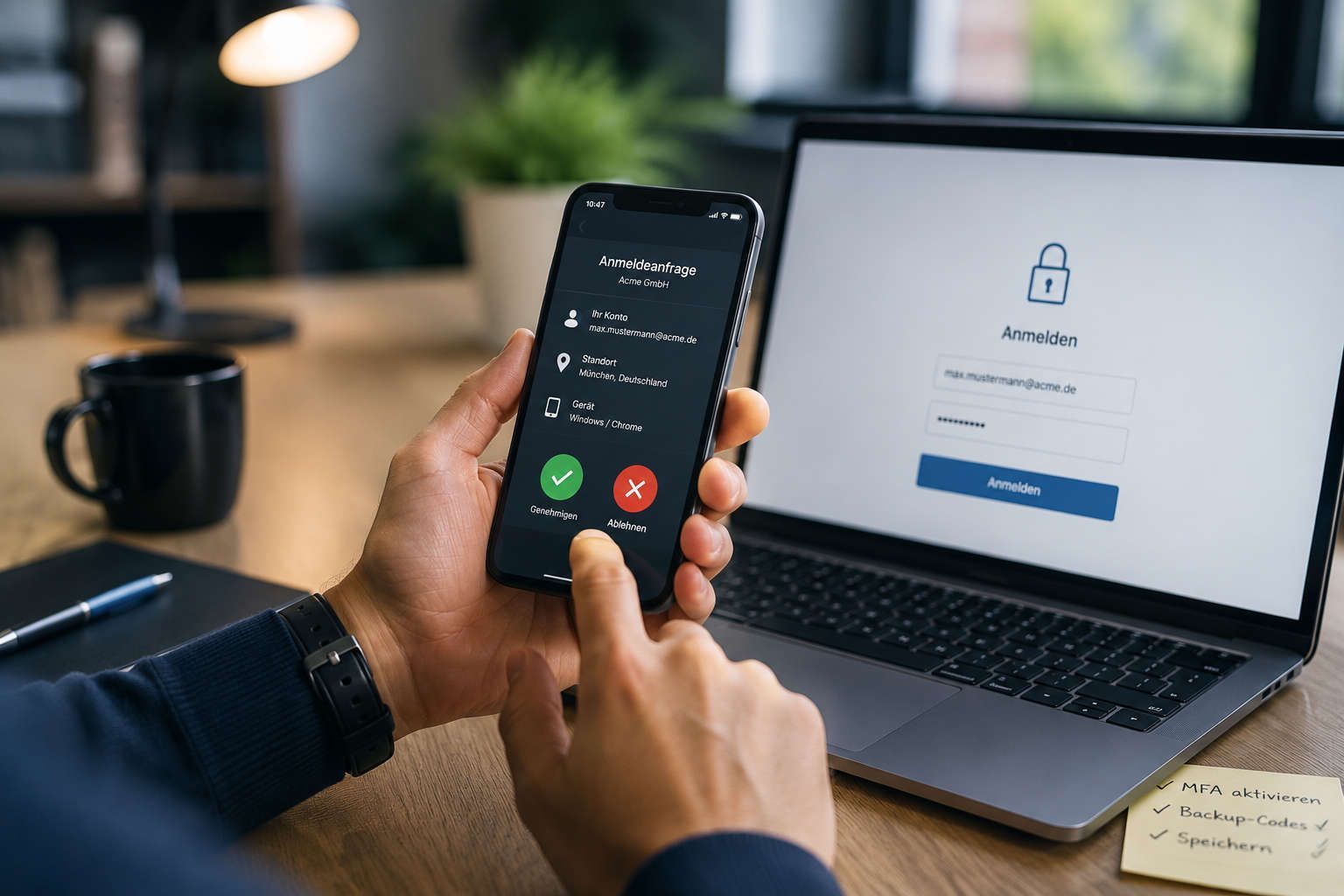
Introducing Multi-Factor Authentication (MFA) in your company: A guide for SMEs
Multi-factor authentication (MFA) protects user accounts by requiring an additional form of verification besides the password – for example, via an authenticator app, smartphone sharing, or a security key.
MFA is now one of the most important security measures for businesses. Stolen passwords alone are often enough for attackers to gain access to emails, cloud services, VPN connections, or internal systems.
Microsoft 365, VPN access, cloud platforms, and administrative accounts are particularly vulnerable. MFA prevents many successful attacks in these areas with just a few simple additional security factors.
This guide shows how businesses can implement MFA in a structured way, which methods are effective, and what really matters during rollout, recovery, and operation.
Table of contents
- What is Multi-Factor Authentication?
- Why passwords alone are no longer sufficient
- MFA vs. 2FA
- Which MFA method makes sense for companies?
- Preparing for MFA: Technology, guidelines & prerequisites
- Implementing MFA in the company: Rollout, communication & operation
- Activating MFA in practice: Microsoft 365, Google Workspace, VPN & admin accounts
- Costs and effort of MFA in the company
- Conclusion
- FAQ on Multi-Factor Authentication
What is multi-factor authentication?
Multi-factor authentication (MFA) is a security procedure in which users must confirm their identity with at least two independent factors. Typically, this involves a combination of a password and additional verification via smartphone, authenticator app, or security key. MFA significantly reduces the risk of compromised accounts and is now one of the most important security measures for businesses.
Why passwords alone are no longer enough
Passwords remain a central component of digital identities, but they are no longer sufficient as the sole form of protection. Reuse, weak passwords, credential stuffing, and social engineering mean that attackers often gain access to accounts without significant technical hurdles. The situation becomes particularly critical when a compromised login also grants access to email, cloud services, or central corporate systems.
Multi-factor authentication (MFA) therefore supplements the password with at least one additional verification method—for example, via an authenticator app, smartphone authorization, or security key. This means that stolen login credentials alone are no longer enough for a successful login. Companies reduce account takeovers, limit phishing damage, and significantly improve control over cloud and remote access.
The German Federal Office for Information Security (BSI) now also recommends MFA as a fundamental security measure for corporate access.
How does multi-factor authentication work in a company?
During registration, the system checks not only a password but also a second form of verification. Ideally, this second form of verification comes from a different category than the password, such as possession (app, token) or biometrics. Access is only granted if both verifications are successful.
Why are phishing and password theft the biggest risk to business accounts today?
Phishing is so successful because it exploits human routine: login pages appear deceptively real, emails are professionally forged, and time pressure often leads to poor decisions. Even complex passwords lose their protective value as soon as they are compromised or reused.
What's particularly dangerous is that a single compromised account often opens up other systems—such as email, cloud services, SSO platforms, or remote access.
MFA should also be part of a comprehensive security concept. The article "Endpoint Security" explains why device protection and endpoint security are also crucial.
Which business units will benefit first?
Security gains are most rapid where a successful login has particularly far-reaching consequences. Email is usually the most important entry point because it's used for communication, password resets, and sharing. Central cloud services, remote access, and administrative accounts follow.
Not all systems need to be secured simultaneously. For SMEs, prioritizing based on the risk and potential impact of a compromised account is recommended.
| scope | Reason for early insurance |
|---|---|
| Admin accounts | Supreme rights, often the target of targeted attacks; compromise has system-wide effects. |
| Basis for password resets, sharing, and internal communication; most common entry point. | |
| Cloud-SSO | A successful login can unlock multiple applications. |
| VPN and remote access | Direct access to internal resources; particularly relevant for external locations. |
| Specialized applications | dependent on data criticality; often implemented after SSO has already been secured. |
Multi-factor authentication (MFA) should be mandatory, especially in virtualized server environments and for administrative access. You can find more information in the article
"Building a Proxmox Cluster: High Availability for Your Server Infrastructure."
For technical details and a neutral overview of MFA techniques, see the overview of multi-factor authentication from onlinesicherheit.at.
MFA vs. 2FA
Two-factor authentication (2FA) means that two forms of verification are required for login – for example, a password plus a one-time code. Multi-factor authentication (MFA) generally describes the use of several independent factors and often includes stricter security measures, such as risk-based logins, device verification, or phishing-resistant methods.
In practice, 2FA and MFA are often used interchangeably. However, the distinction is relevant for businesses because not every 2FA variant offers the same level of protection against modern attacks. The actual security of the method used is more important than the terminology itself.
- 2FA describes two login steps, while MFA involves multiple or stricter factors.
- Not every 2FA variant provides reliable protection against modern phishing.
- Phishing-resistant methods are particularly important for critical accounts.
What is 2FA, what is MFA – and why are they not the same thing?
Two-factor authentication (2FA) uses exactly two factors for login. Multi-factor authentication (MFA) generally describes the use of multiple independent factors and additional security measures.
For privileged accounts, companies should use phishing-resistant methods such as FIDO2. App-based methods, on the other hand, are considered a good standard for widespread rollout in the SME sector.
What factors are there – and which combinations make sense?
Authentication factors are typically categorized as knowledge, possession, and inherence. Combinations of different categories are advisable because a compromised factor does not automatically grant access to the second authentication factor.
- Knowledge: Password, PIN, or passphrase
- Possession: Authenticator app, FIDO2 token, or smart card
- Biometrics: Fingerprint or facial recognition on managed devices
When is 2FA sufficient – and when is MFA mandatory?
For standard users, consistently implemented two-factor authentication (2FA) with app-based verification can already provide a significant security advantage. The situation becomes more critical where a single access attempt can have far-reaching consequences—for example, with administrative accounts, identity platforms, remote access, or approval processes.
- Standard users: App-based multi-factor authentication (MFA) as a practical minimum standard
- Administrative accounts: Phishing-resistant procedures and separate accounts
- Remote access: Mandatory MFA, ideally combined with device verification
- Financial and approval processes: Additional controls and stronger authentication
The US Federal Office for Information Security (CISA) recommends phishing-resistant MFA, especially for privileged accounts and external access. For further organizational requirements in Austria, the Austrian Information Security Handbook can also serve as a guide.
FIGULI CONSULTING helps companies not only to technically activate MFA, but also to seamlessly integrate it into existing IT infrastructures – from selecting suitable methods and developing policies and rollout plans to securing Microsoft 365, VPNs, cloud services, and administrative accounts.
Plan your MFA implementation with FIGULI
Which MFA method makes sense for companies?
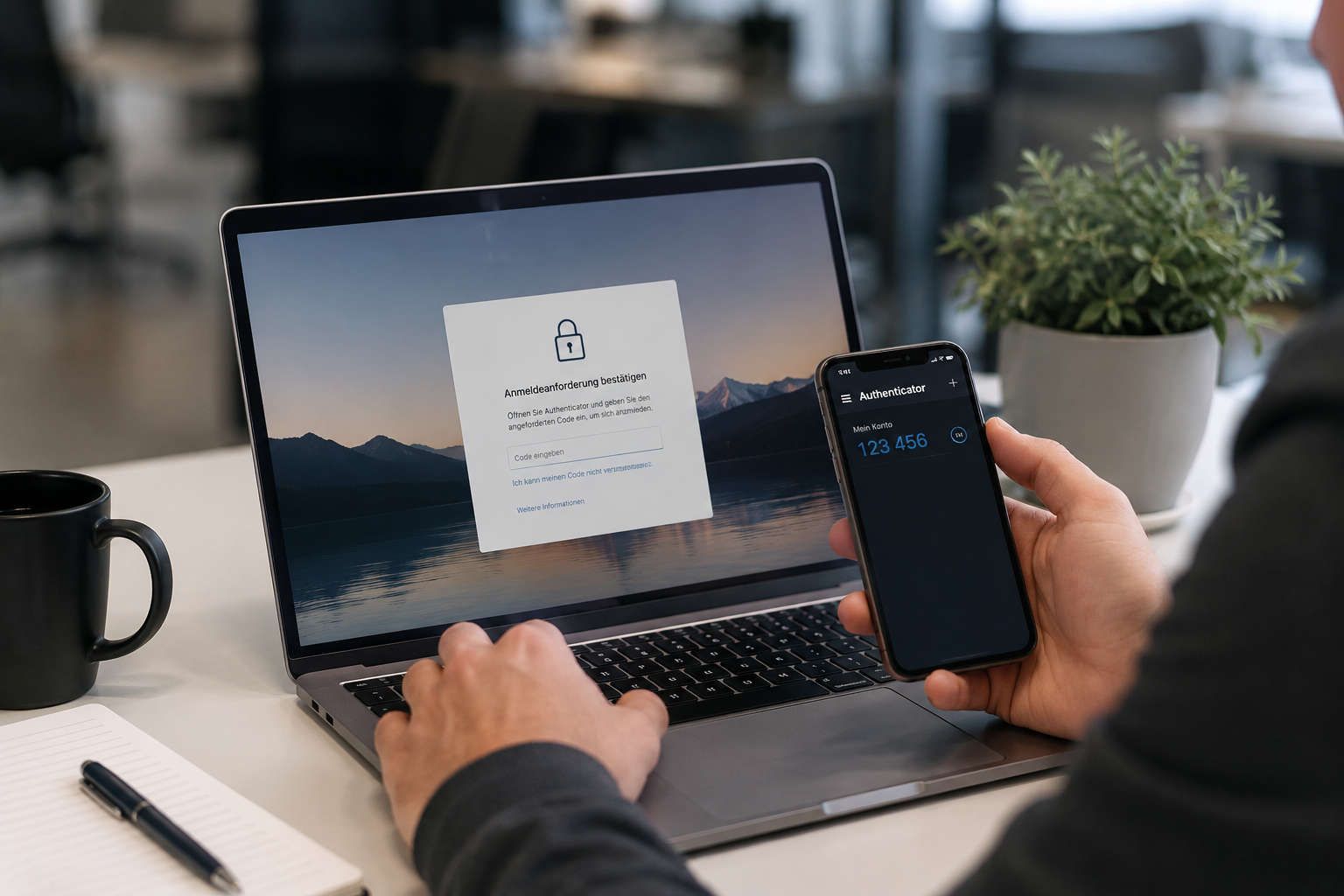
The appropriate MFA method depends on the security requirements, user group, and everyday usability. Many companies start with an authenticator app because it works without additional hardware and is well integrated into common platforms. For particularly critical accounts, FIDO2 security keys or other phishing-resistant methods are usually the better choice.
The usage context is crucial: Office workers, field staff, those using shared devices, production staff, and administrators have different requirements. A good MFA strategy is therefore differentiated but not unnecessarily complicated.
- Authenticator app: a good standard for many employees
- FIDO2 security keys: high protection for administrators and critical accounts
- SMS code: only useful as a temporary solution or backup
- Recovery processes: define and test before rollout
Are passkeys and passwordless login the future?
Passkeys and passwordless authentication methods are gaining importance in the corporate environment. Instead of a traditional password, login is performed using cryptographic keys on trusted devices, often combined with biometrics or FIDO2.
This significantly reduces the risk of successful phishing attacks because traditional passwords are no longer transmitted. For many SMEs, a well-implemented multi-factor authentication (MFA) system is currently the realistic standard, but passwordless methods will become increasingly important in the long term.
Cryptographic keys from YubiKey
Which MFA methods are the safest?
The most secure methods are phishing-resistant MFA, such as FIDO2 security keys or passwordless login. These are particularly suitable for administrator accounts, management portals, and other critical access points. Microsoft also recommends using phishing-resistant MFA methods like FIDO2 or passwordless login for privileged accounts whenever possible.
For widespread rollout in SMEs, an authenticator app is usually the best compromise between security, effort, and user acceptance. Email or SMS codes should only be used if no better method is available or a defined backup channel is required.
How do you choose the appropriate method for each user group?
Not every user group needs the same MFA method. For standard users, app-based authentication is often sufficient. Administrators and those with critical roles require significantly stronger protection. Field staff also need to consider device switching, offline situations, and rapid recovery.
How do you plan backup codes and account recovery?
Account recovery is a core component of any multi-factor authentication (MFA) implementation. Without a structured recovery process, outages can quickly occur, for example, due to lost phones, device changes, or defective smartphones.
Therefore, before the rollout, define what evidence is required for recovery, who grants permissions, and how emergency access is documented. Especially in smaller companies, these processes should be tested beforehand.
Comparison of MFA methods for SMEs
The following overview provides a concise summary of the most important MFA methods for SMEs.
| method | Suitability and notes |
|---|---|
| Authenticator-App | A good standard for many roles; recovery and device replacement must be regulated. |
| FIDO2 security key | A good standard for many roles; recovery and device replacement must be regulated. |
| Email or SMS code | Easy to deploy, but more vulnerable; better suited as a transition or backup. |
| Biometrics on device | Convenient, but bound to device management and policies |
Detailed information on authentication factors for ID Austria can be found under
Authentication Factors at ID Austria.
Preparing for Medical Assistants: Techniques, Guidelines & Requirements
A stable MFA implementation begins before technical activation. Identities, devices, licenses, applications, and responsibilities must be aligned. Many problems arise not from MFA itself, but from unclear exceptions, missing recovery processes, or overlooked special cases such as service accounts, shared devices, and legacy authentication methods.
Organizationally, a clear MFA policy is essential. It defines which systems require multi-factor authentication, which methods are permitted, how exceptions are handled, and who decides in case of a failure. Technically, companies should verify whether all relevant systems support modern authentication and whether insecure legacy methods can be reduced or replaced.
Before rollout, the following points, in particular, should be clarified:
- Capture identities, applications, and access paths
- Define an MFA policy with a phased implementation plan, exceptions, and recovery procedures
- Reduce or secure legacy authentication
- Secure and strengthen administrative access
What technical requirements should be checked beforehand?
First, determine where identities are managed: cloud identity provider, directory service, SSO platform, or a hybrid environment. Then, identify all relevant applications, protocols, and access methods.
Older authentication methods that can bypass MFA if they remain enabled are particularly critical. These include, for example, outdated email protocols, legacy clients, or poorly integrated third-party applications.
How do you create an MFA policy for the company?
An MFA policy should be concise, clear, and actionable. It defines which systems require MFA, which methods are permitted, and which exceptions are allowed.
Exceptions should always be justified, documented, and time-limited. Otherwise, permanent security gaps will arise that are difficult to control later.
How can MFA be implemented without a dedicated security department?
Even without a dedicated security department, MFA can be implemented smoothly if responsibilities are clearly defined. Key personnel include those responsible for technical administration, helpdesk, exceptions, recovery, and policy maintenance.
An external IT partner can provide support with architecture, policy design, piloting, and monitoring without taking over full operational management.
FIGULI CONSULTING helps SMEs implement MFA in a structured manner – particularly for cloud access, remote access, Microsoft 365, VPN, and administrative accounts.
Further information on our services can be found under Services.

Introduction of Medical Assistants in the company: Rollout, communication & operation
A successful MFA rollout begins with a controlled approach and scales gradually. Instead of switching all users over at once, companies should start with a pilot project, test typical special cases, and then roll out in phases. Crucial is not just the technical activation, but a stable process encompassing communication, support, and recovery.
Acceptance is primarily achieved when employees understand why MFA is being introduced and how they can quickly get help if problems arise. Concise instructions, clear deadlines, and readily available support reduce resistance and prevent unnecessary downtime.
If the platform supports it, MFA should also be combined with risk-based rules, device verification, and restrictions on insecure legacy methods. Especially in Microsoft 365 environments, Conditional Access (context-based access control) can help manage access based on location, device, user role, or risk.
- Conduct a pilot project with representative user groups.
- Plan the rollout in phases with fixed deadlines and support windows.
- Consider special cases such as device changes, offline access, and recovery early on.
- Gradually deactivate insecure legacy methods after a successful rollout.
What is the typical process for implementing a multi-functional assistant (MFA) in an SME?
Start with a pilot project that reflects typical roles: office, field service, IT administration, and management. Test not only the technology but also registration, device changes, recovery, helpdesk processes, and logging.
The rollout then proceeds in phases—ideally by department or location.
- Pilot (1–2 weeks): Test registration, recovery, support, and special cases.
- Rollout in waves (2–6 weeks): Gradually activate user groups.
- Go-live: Mandate MFA and reduce insecure protocols.
- Stabilization: Analyze tickets, optimize policies, and conduct reviews.
What is the typical process for implementing a multi-functional assistant (MFA) in an SME?
Communicate early, clearly, and repeatedly. Employees should know why MFA is being introduced, what will change, when actions are required, and where help is available.
Avoid unnecessarily technical language. Short, step-by-step instructions and screenshots are usually more effective than lengthy documentation.
- Clearly explain the benefits and risks.
- Communicate the activation date and deadlines clearly.
- Make support channels and contact persons visible.
- Provide short training materials and FAQs.
What problems frequently arise during the introduction of medical assistants?
Typical problems arise during device changes, network outages, or with shared devices. If these scenarios are only addressed after the rollout, support efforts increase significantly.
Therefore, define alternatives early on, such as TOTP codes, backup factors, or hardware tokens for affected roles.
- Device changes: a fast process for re-registration and recovery.
- Offline situations: provide TOTP or hardware tokens.
- Acceptance: concise instructions and readily available support.
- Emergency access: strictly manage, document, and regularly review.
Checklist: Go-live preparation for medical assistants
Before mandatory activation, the following points should be checked in particular:
- Inventory all accounts and applications
- Define MFA methods, exceptions, and deadlines
- Provide helpdesk and escalation channels
- Test recovery processes and backup codes
- Conduct a pilot group and document the findings
- Regularly review login logs and exceptions
MFA is already standard practice in financial processes. A practical example of this is FinanzOnline's two-factor authentication, which is a regulatory security requirement.
Activating MFA in practice: Microsoft 365, Google Workspace, VPN & Admin accounts
The technical setup for MFA varies by platform, but follows the same basic principles: secure privileged accounts first, test pilot groups, and then gradually make MFA mandatory. At the same time, insecure legacy methods such as authentication or unnecessary app passwords should be reduced.
For cloud services, the identity platform is usually the central lever. Once MFA and policies are enforced there, connected applications automatically benefit via SSO. For VPNs and remote access, it must also be checked whether MFA is directly supported or can be integrated via an identity provider.
Before activation, document the target configuration for methods, exceptions, recovery, and administrative protection. This significantly simplifies rollout, operation, and subsequent audits.
- Secure privileged accounts and emergency access first
- Activate MFA gradually via groups and policies
- Properly handle legacy authentication and special cases
- Document target configuration and recovery processes
Especially in SMEs, Microsoft 365 is often the central entry point for email, Teams, SharePoint, and password resets. Therefore, MFA should usually be mandatory there first.
Securely set up MFA for Microsoft 365
For Microsoft 365, the way MFA is managed is crucial: through centralized policies, group-based assignment, and—where available—risk-based rules like Conditional Access.
Start with administrator accounts and a strictly controlled emergency account. Then, enable MFA for pilot groups and gradually roll out the requirement.
Enable MFA for Google Workspace
In Google Workspace, MFA is typically controlled via admin settings and organizational units or groups. Define which methods are allowed and when MFA becomes mandatory.
Again, privileged accounts should be secured first before rolling out the activation more broadly.
Why MFA is mandatory for admin accounts
Admin accounts are among the most important attack targets because they can modify security policies, manage users, and grant extensive access. Therefore, privileged accounts should be strictly separated from regular work accounts.
Administrators are advised to use phishing-resistant methods such as FIDO2 security keys or passwordless login.
Break-glass accounts (highly protected emergency access for exceptional circumstances) serve as a backup access point if MFA policies or core services fail. They should be used sparingly, securely documented, and regularly tested.
FIGULI CONSULTING helps companies secure privileged accounts, recovery processes, and emergency access in a structured manner and integrate them into existing Microsoft 365 and remote access models.
You can also find current best practices and security topics in the FIGULI IT News.
Costs and effort of MFA in the company
The costs for multi-factor authentication consist of licenses, optional hardware such as FIDO2 keys, implementation effort, and ongoing support and operation. Especially in SMEs, it's not so much the license costs that are underestimated, but rather rollout support, device replacements, recovery processes, and exception management.
Realistic planning therefore considers both the implementation and ongoing operation – including monitoring, reviews, and regular policy adjustments.
What are the different cost categories – and where is it often underestimated?
Typical cost categories include identity and security licenses, hardware tokens for critical roles, implementation time, and training and support.
Often underestimated are indirect costs: helpdesk peaks during rollout, recovery cases after device loss, exception management, and regular policy adjustments.
How can one realistically calculate costs and operating expenses in medium-sized businesses?
Calculate the effort required throughout the entire implementation process: preparation, pilot phase, rollout, mandatory deployment, and ongoing operations. Support effort is typically highest in the first few weeks and decreases significantly later on once recovery and self-help processes are functioning smoothly.
Ongoing operations also include device replacements, role changes, offboarding, token renewals, and regular security reviews.
How do you measure the security gains after the rollout?
Security gains can be assessed using technical and organizational metrics. Relevant examples include blocked login attempts, suspicious login patterns, successful phishing prevention, and reduced account takeovers.
Additionally, helpdesk and user feedback help identify friction points in daily operations and optimize policies accordingly.
- KPIs: suspicious logins, blocked attempts, ticket volume
- Reviews: review exceptions, privileged accounts, and new applications
- Hardening: reduce legacy authentication and use stronger authentication factors
- Processes: regularly test recovery and offboarding processes
Typical cost and effort areas for MFA in SMEs
The actual costs depend heavily on the number of users, platforms, and security level. However, typical cost areas are similar in most MFA projects.
| Cost area | Typical content |
|---|---|
| Licenses | Identity functions, policies, logging, and, if applicable, conditional access. |
| Hardware | FIDO2 keys, replacement devices, inventory |
| Implementation | Policy design, pilot, groups, testing, documentation |
| Support & Operations | Rollout support, recovery, monitoring, regular reviews |
Conclusion
Multi-factor authentication (MFA) is one of the most important security measures for businesses today because stolen passwords alone are often enough for successful attacks.
However, MFA is only successful if technology, policies, recovery, and user-friendliness are aligned.
SMEs, in particular, benefit from a phased and practical implementation of MFA – starting with email, cloud access, VPN, and admin accounts. This significantly increases the level of security without unnecessarily burdening day-to-day operations.
FIGULI CONSULTING supports companies in implementing multi-factor authentication soundly from both a technical and organizational perspective – from MFA policy and rollout to recovery and securing Microsoft 365, cloud platforms, VPN access, and privileged accounts.
FAQ on multi-factor authentication
What is the difference between MFA and 2FA?
2FA (two-factor authentication) is a subcategory of MFA. While 2FA uses exactly two factors, multi-factor authentication can combine several security factors, such as a password, an authenticator app, and a hardware token. In the corporate environment, the term MFA is most commonly used.
Which systems should companies secure with MFA first?
Companies should secure critical access first: Microsoft 365, email accounts, VPN access, cloud platforms, remote access, and administrative accounts. Email accounts, in particular, are considered the most frequent target of attacks and should be prioritized.
Which MFA method is most secure: app, SMS, or token?
FIDO2 security keys are currently considered the most secure MFA method for companies because they significantly hinder phishing. However, for many SMEs, an authenticator app is the most practical standard. SMS codes should ideally only be used as a temporary measure or backup.
What happens if a mobile phone is lost or a device is changed?
Companies should define recovery processes for device changes and loss. Backup codes, a second registered factor, or a clearly defined helpdesk process with identity verification are recommended. Especially in SMEs, problems often only arise with the first device change.
Is multi-factor authentication (MFA) alone sufficient protection against phishing?
MFA significantly reduces the risk of successful attacks, but it does not replace other security measures. Modern phishing attacks sometimes attempt to take over sessions or tokens. Therefore, companies should also focus on secure endpoints, monitoring, and security awareness.
How do companies implement MFA step by step?
An MFA implementation usually begins with privileged accounts and critical systems. This is followed by policies, a pilot group, rollout, training, and recovery processes. Clear communication, testing, and a support concept for ongoing operations are essential.
What does MFA cost companies?
The costs depend on the platform, number of users, and security level. Many cloud platforms, such as Microsoft 365 or Google Workspace, already include MFA in part of their licenses. Additional effort is usually required for rollout, training, conditional access, hardware tokens, and support processes.